
Storm cleanup field guide
What Photos to Send for Storm Cleanup
Show the whole pile, the biggest items and the way in. A few clear pictures help us understand the cleanup without a long explanation.
Request a Free Estimate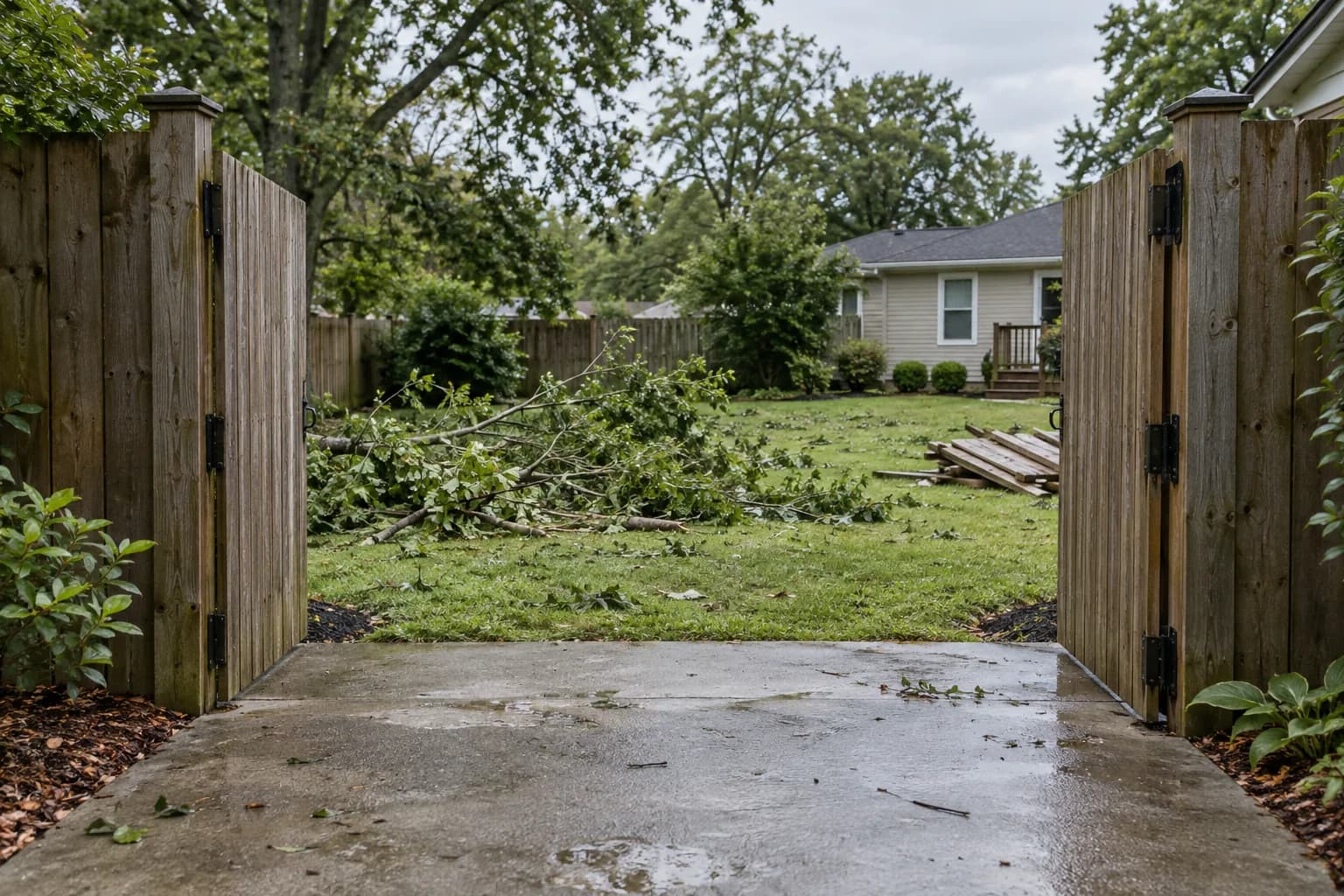
Start wide
Take a picture that shows the whole debris area. If branches or furniture are spread through several yards or rooms, include each area.
Show the material
Show thick limbs, large furniture and mixed piles close enough to identify them, without climbing onto debris or moving it. Tell us about anything hidden underneath.
Show access
Include the gate, driveway, stairs or hallway between the debris and the loading area. Mention locked gates or narrow passages. Stay clear of power lines and unstable structures.
A short note ties the pictures together
If you photograph several piles or rooms, say which is which in your notes. Mention debris hidden behind the pile and anything especially heavy. There’s no need to guess a weight or measure every item.
For several properties, identify the address for each group of pictures and which location needs attention first. Include the site contact and any gate or loading restrictions in your notes.
Choose up to 10 photos, no more than 10 MB each. The form accepts JPEG, PNG, WebP, HEIC and HEIF files and uploads the originals after your request is received. Check the previews and remove anything you don’t want to send. Avoid faces, license plates and private paperwork; keep your own copies for your records.
Related cleanup help
Check what needs a specialist first before entering a damaged area.
For official general safety guidance, see CDC’s disaster cleanup guidance.